The New SharePoint Experience
It's not just you. SharePoint has started to look a little different…
Microsoft is transforming the SharePoint experience with a new look, a more personalized home page, and easier ways to find, publish, and create content.
But what do these changes actually mean for you as a user? Here, we'll go over some of the most important updates.
Rebecka helps companies create smarter digital workplaces
A new look and easier navigation
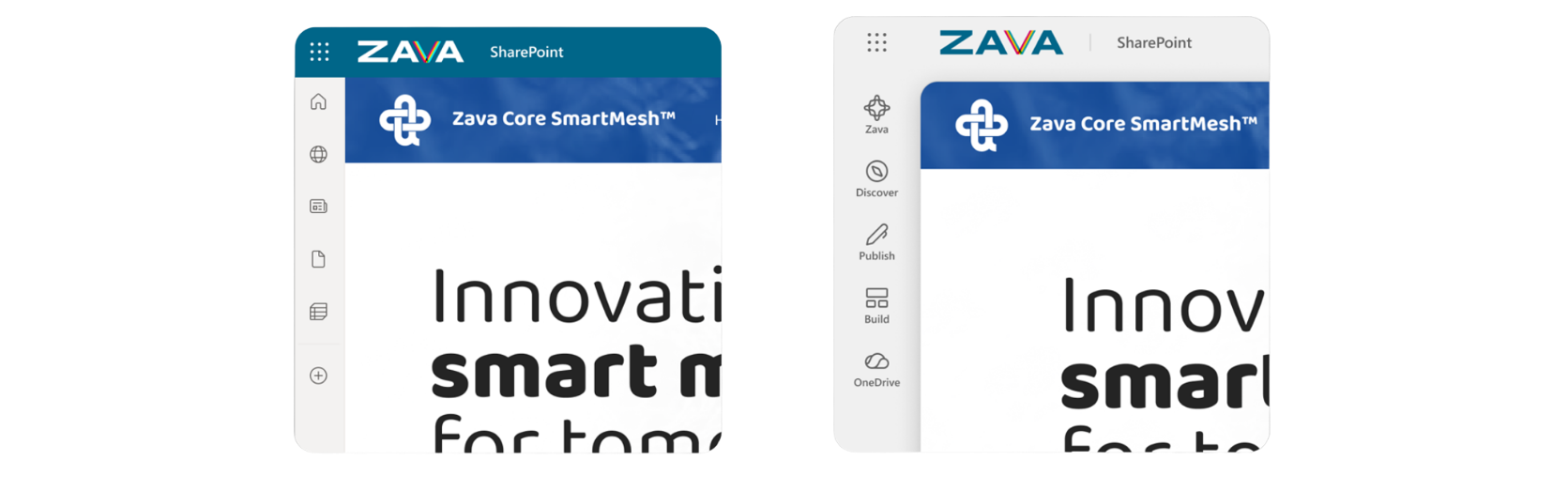
The first thing many people will notice is that SharePoint looks different. Microsoft is updating both the visual design and the navigation, with the goal of making it easier to find what you're looking for and placing more emphasis on the content.
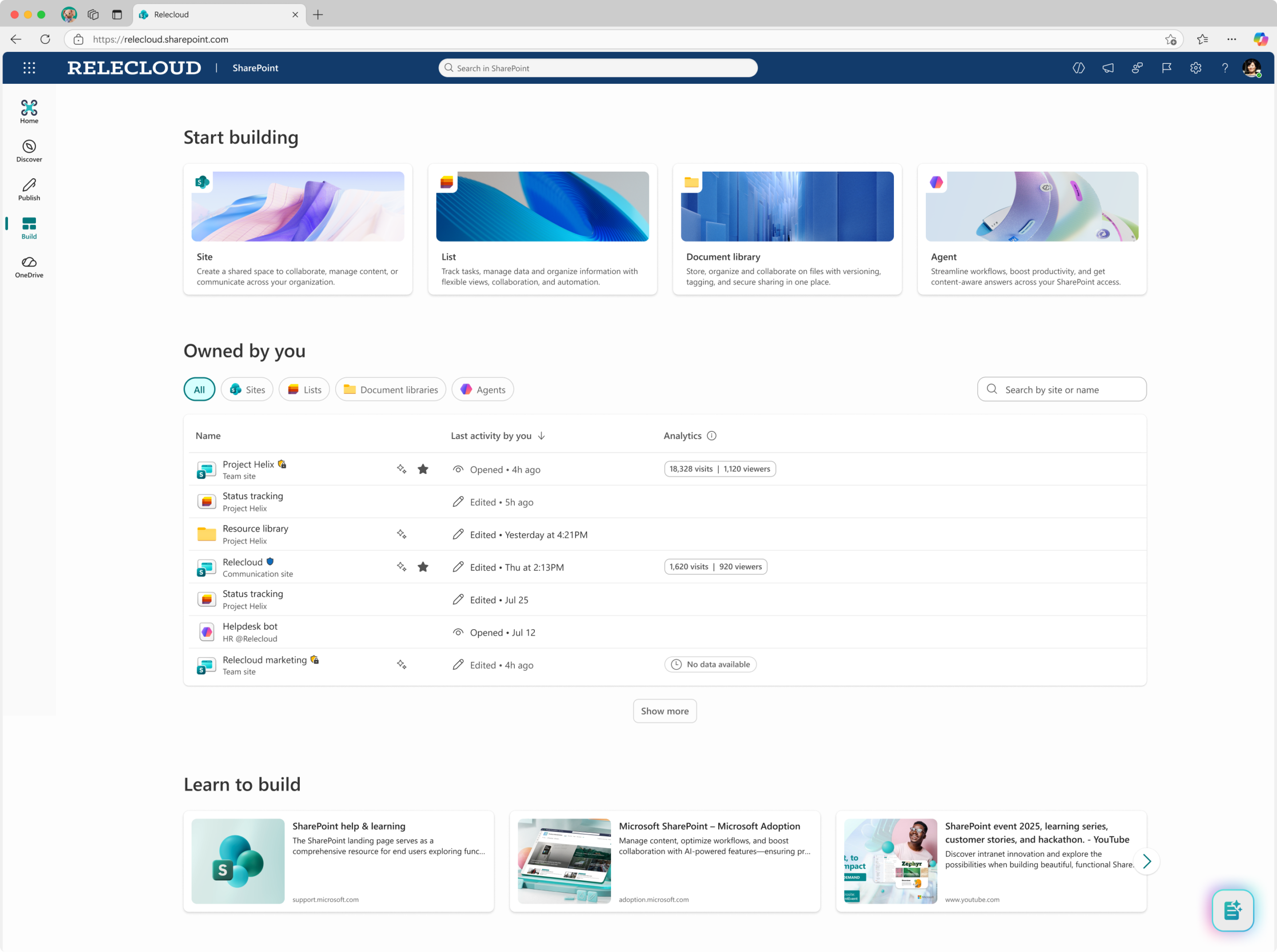
The new experience is organized around three main sections: Discover, Publish, and Build. The features behind them aren’t necessarily new; the difference is that they’re now organized based on what you want to do—whether that’s finding information, publishing content, or creating something new.
The intranet experience itself is also evolving. New web sections for Announcements and Resources make it easier to highlight important information and frequently used shortcuts, while News is presented in new ways.
Your existing pages and content are still there. It’s mainly the overall experience that’s changing.
A Personal Home Page in SharePoint
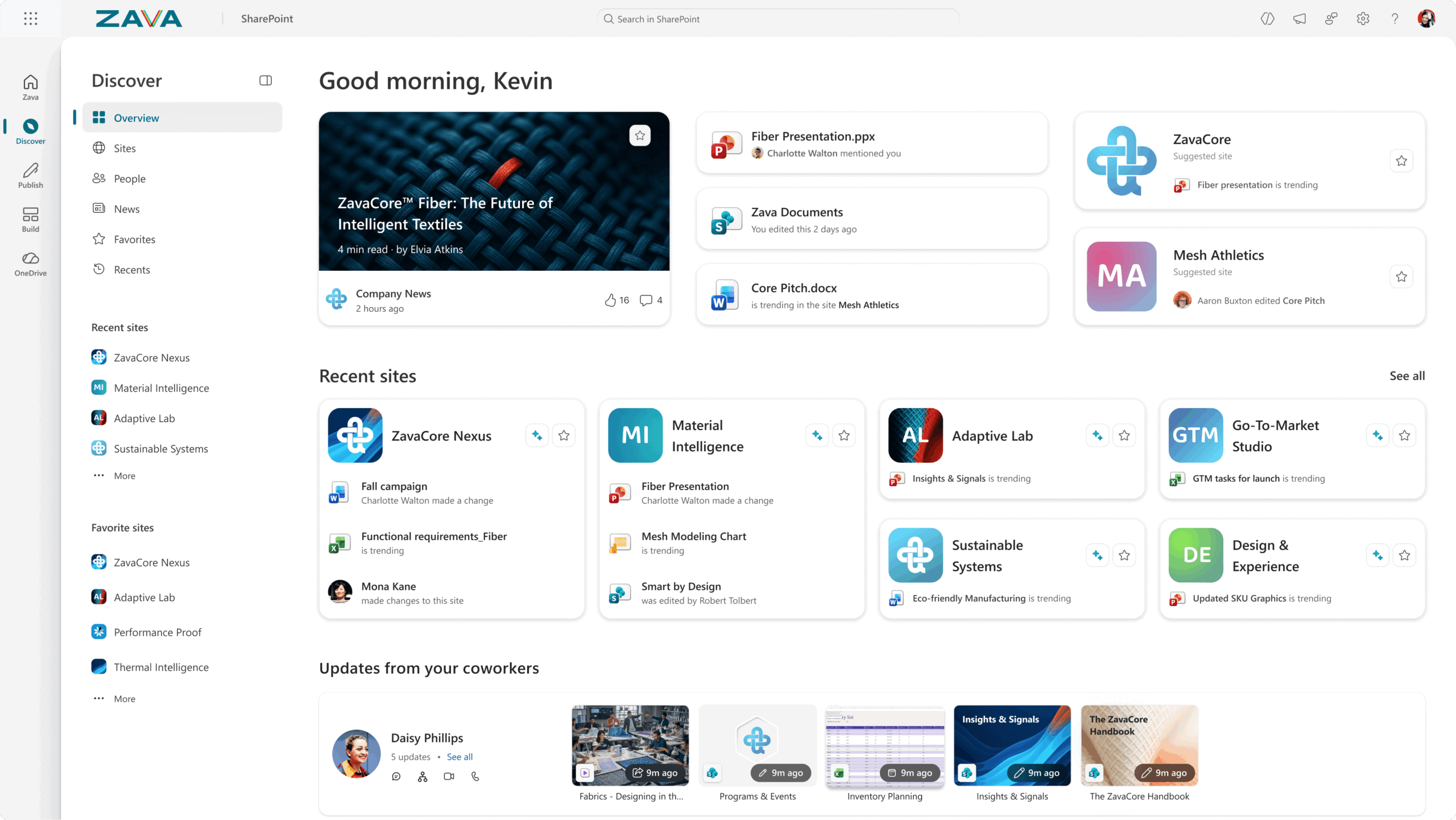
One of the biggest new features is the personalized home page, "Discover." It brings together content that's relevant to you specifically, based on your work and the information you have access to.
For example, this might involve quickly finding a document you recently worked on, discovering news from the organization, or locating a SharePoint site you use frequently. In this way, SharePoint becomes more than just a place to store documents. It becomes a more natural gateway to the information and resources you need during your workday.
Easier to publish content
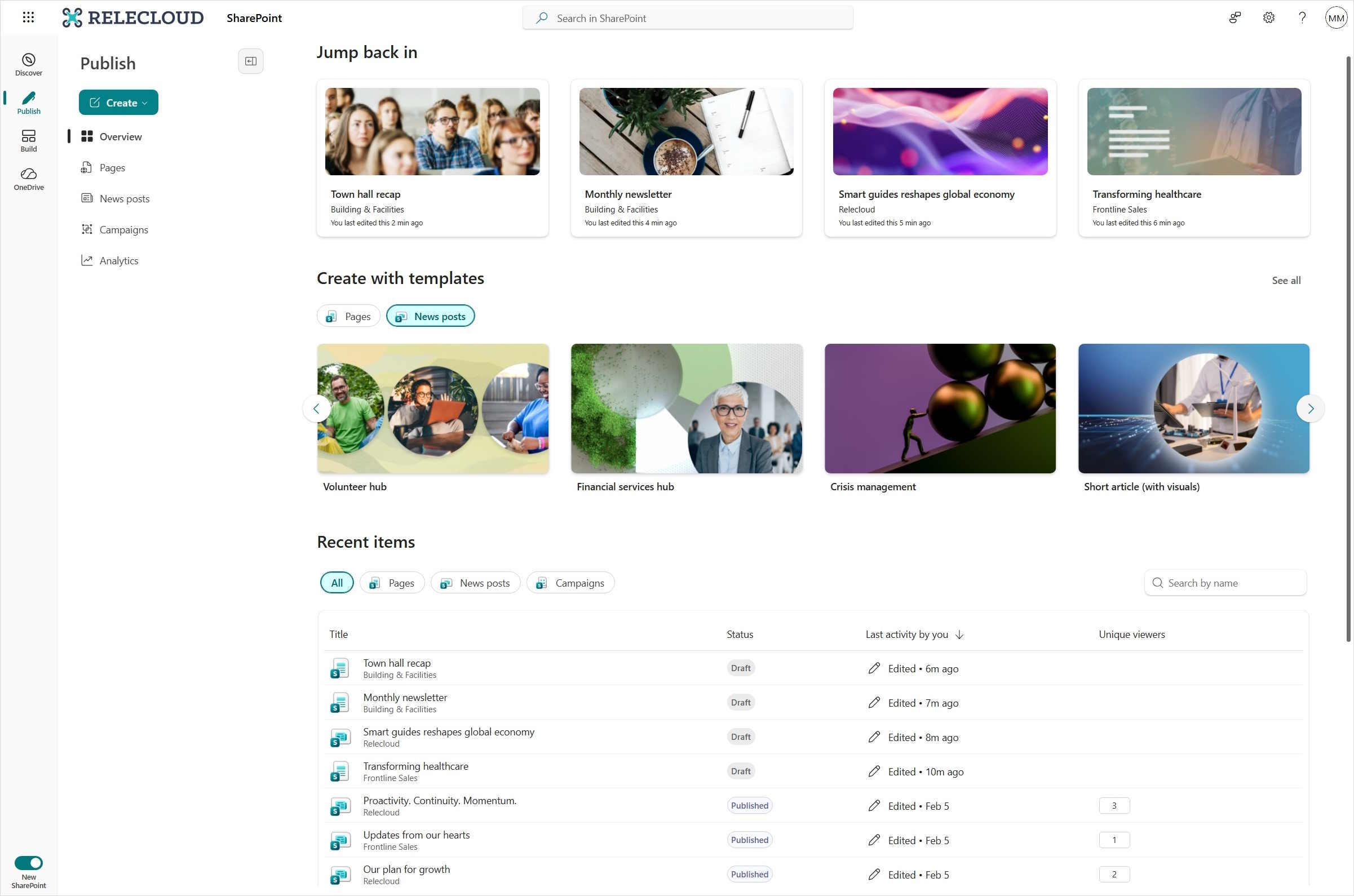
"Publish" brings together the work of creating and publishing content in a clearer way.
Here, those who work with intranets and internal communications, for example, have a single place to manage pages, news, and campaigns. It also makes it easier to track how the content reaches and engages the organization.
For those responsible for an intranet, this means a more cohesive experience—from creating content to publishing and following up on it.
Create more directly in SharePoint
The "Version/Build" section offers a variety of options for creating new content in SharePoint.
In the past, you often had to navigate to a specific SharePoint site to, for example, create a list or a document library. Now, Microsoft is bringing more of these features together in one place.
Here, you can create websites, lists, and document libraries, or start with ready-made templates. AI and agents are also playing a more prominent role as Microsoft develops more AI features in SharePoint. This makes it easier to find the right tools and get started on whatever you want to create.
Viva Connections – Intranet in Teams, becomes SharePoint in Teams
Another change is that what was previously called Viva Connections in Teams is now becoming part of the SharePoint experience.
Viva Connections has served as a gateway to the organization’s intranet directly within Teams. Now, Microsoft is bringing that experience together more clearly under SharePoint. For users, this means a clearer connection between Teams and SharePoint, where information, news, and resources become a natural part of the digital workplace.
Did you know that you're already using SharePoint when you work in Teams?
When you work with files in a regular Teams channel, they are stored in SharePoint. SharePoint is also the platform behind many companies’ intranets and shared information spaces. Not sure where to save your documents? In our webinar, we’ll walk you through the differences between Teams, OneDrive, and SharePoint and help you make the right choice. Download the webinar here!
Get More Out of SharePoint
The new SharePoint experience doesn't mean you have to rebuild your intranet from scratch. Your existing pages and content will remain, even though the overall experience will change.
At the same time, this may be a good opportunity to review how SharePoint is currently being used at your organization. Are employees able to find the information they need? Is the structure clear? Is the content kept up to date?
A more modern interface creates better conditions, but it’s still how you organize and use the information that determines how much you get out of SharePoint. Perhaps that’s why now is a good time not only to discover what’s new, but also to consider whether you’re getting what you want out of the platform today.
[ Are you getting what you want out of SharePoint? ]
We'll help you see how it can be made simpler and more useful for your entire organization.
Tired of filling in forms?
You can also call 040-626 75 00, Monday-Friday 08-17, or send an e-mail to kontakt@upheads.se.
-

Copilot Cowork
We've gotten used to using Copilot to write texts, summarize meetings, and find information...
-

Ransomware Attacks
Cyberattacks can take many forms. Some temporarily render websites and digital services inaccessible...
-
IT Strategy – How to Set the Right Priorities
IT is an important part of how companies grow today. Despite this, IT and business operations are still planned...