How to Spot Phishing—Even When It Looks Real
You receive an email from your boss. It looks legitimate, is about something you’re working on, and contains a link. You click on it. The problem is that the email didn’t come from your boss at all.
Phishing is much harder to detect today than it used to be. Scam emails no longer necessarily contain strange phrasing or obvious spelling mistakes. They can be well-written, personalized, and tailored specifically to you.
So how can you spot a phishing attempt when everything looks completely normal?
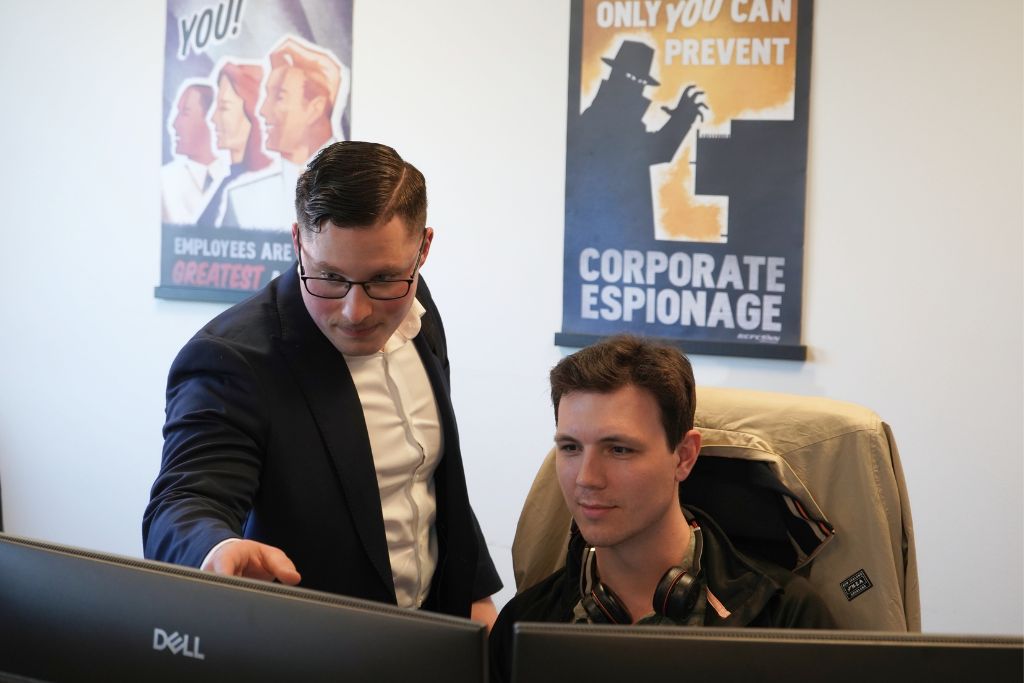
Why is phishing still a major security threat?
Attackers don't just try to find technical security vulnerabilities. They also try to trick people into revealing information, clicking on malicious links, or authorizing logins.
With the help of AI, they can quickly create credible emails, text messages, and messages in platforms such as Teams. By using information that’s already available about the company, they can also tailor the content to the recipient.
This means that even a message that appears to come from a coworker, manager, or vendor could be a scam.
Three Questions to Ask Yourself Before You Click
1. Am I expecting this message?
Did the email come unexpectedly? Are you being asked to log in, open an attachment, or share information without knowing why?
Be especially careful if you don't recognize the context, even if the sender seems familiar.
2. Is this a reasonable request from the sender?
A message may appear to come from someone you know, but still contain an unusual request.
Would your boss normally ask you to make a payment via email? Does the supplier usually ask you to update your login credentials via a link?
If something seems off, check with the sender through another channel—for example, by calling the person at a number you already know.
3. Is someone trying to get me to act quickly?
Time pressure is a common way to get people to make hasty decisions.
For example, it might say:
- "You must verify your account within one hour."
- “Your account will be suspended today.”
- "Can you approve the payment right away?"
If a message causes unnecessary stress, that's a reason to check it extra carefully.
Remember: A credible appearance is not the same thing as a credible sender.
Five Ways to Reduce the Risk of Phishing
There is no single security solution that can stop all phishing attempts. However, a few simple steps can significantly reduce the risk.
1. Use multi-factor authentication (MFA)
Enable MFA to provide accounts with an extra layer of protection. Feel free to use phishing-resistant login methods, such as passkeys, whenever possible.
2. Never approve a login that you did not initiate yourself
If you receive an unexpected request to approve a login, reject it and report the incident according to company procedures.
3. Double-check unusual requests
Is it about money, passwords, or sensitive information? Always verify the request through another channel.
4. Report Suspicious Messages
Make sure all employees know how to report suspicious emails and who to contact if they accidentally click on something.
5. Provide training and send regular reminders
Short security training sessions, real-world examples, and phishing exercises help employees recognize warning signs in their day-to-day work.
Make safety a natural part of the workday
Detecting phishing isn’t just about technical knowledge; it’s also about having the courage to pause and take action when something doesn’t feel right. That’s why employees need the opportunity to practice dealing with realistic situations and feel confident about reporting suspicious messages—even if they’ve already clicked on a link.
Technical security solutions are important, but they need to be supplemented with clear procedures and vigilant employees. Keep this in mind: Pause, think before you act, and double-check.
[ How well is your company protected against phishing? ]
Would you like to gain a better understanding of security in your Microsoft 365 environment? We'll help you identify risks and provide concrete recommendations on how to improve.
Schedule a free security assessment or contact us if you'd like to learn more.
Tired of filling in forms?
You can also call 040-626 75 00, Monday-Friday 08-17, or send an e-mail to kontakt@upheads.se.
-
Copilot Cowork
We've gotten used to using Copilot to write texts, summarize meetings, and find information...
-
Ransomware Attacks
Cyberattacks can take many forms. Some temporarily render websites and digital services inaccessible...
-
A warm welcome to Borna and Rebecka!
We've added to our team and are happy to welcome two new colleagues! Borna has started as a Cloud Advisor...