Upheads 2.0: all the IT support you need directly in Teams
We want to meet our customers where they are. You should not have to go to an IT provider's website and look up their customer service to get something done or get help. As a user, you can now interact with us in an environment you are used to - Teams.

Everything you need is here: order mobiles, computers and licenses and generate customer-specific reports. Chat directly with our helpdesk or let our smart, automated ticketing system help you. Anytime - 24/7 IT support is included.
Whether you are an Upheads customer or not, you are welcome to take a little tour!
IT support with 24/7-support with automaticbed case management
Our customers often have flexible working hours and now we can offer our IT support through 24/7 support without you having to pay the usual support costs (24/7 support is usually anything but free). With a traditional support contract, you pay a cost per case, even if it's just a printer to be installed. Instead, we focus on streamlining our customers' work and saving them time.
With the help of Power Virtual Agent which is part of the Microsoft 365 Power Platform, we can automate our support and IT support to you and simpler administrative tasks. Vur programmable bot can now not only retrieve information like many other bots, but actually do things for you in your own IT environment in Microsoft 365.
In many cases it is easier and faster to solve the problem yourself without having to contact a person or wait for a response from a technician. If you want, you can always get personal contact and talk to a competent member of our team.
It's easy to perform simple tasks like deleting a user or adding a printer. For example, if you are onboarding an employee and want to add a user, you can do it directly in our Teams App. And even if someone leaves and you want to share the mailbox and Onedrive with another user.
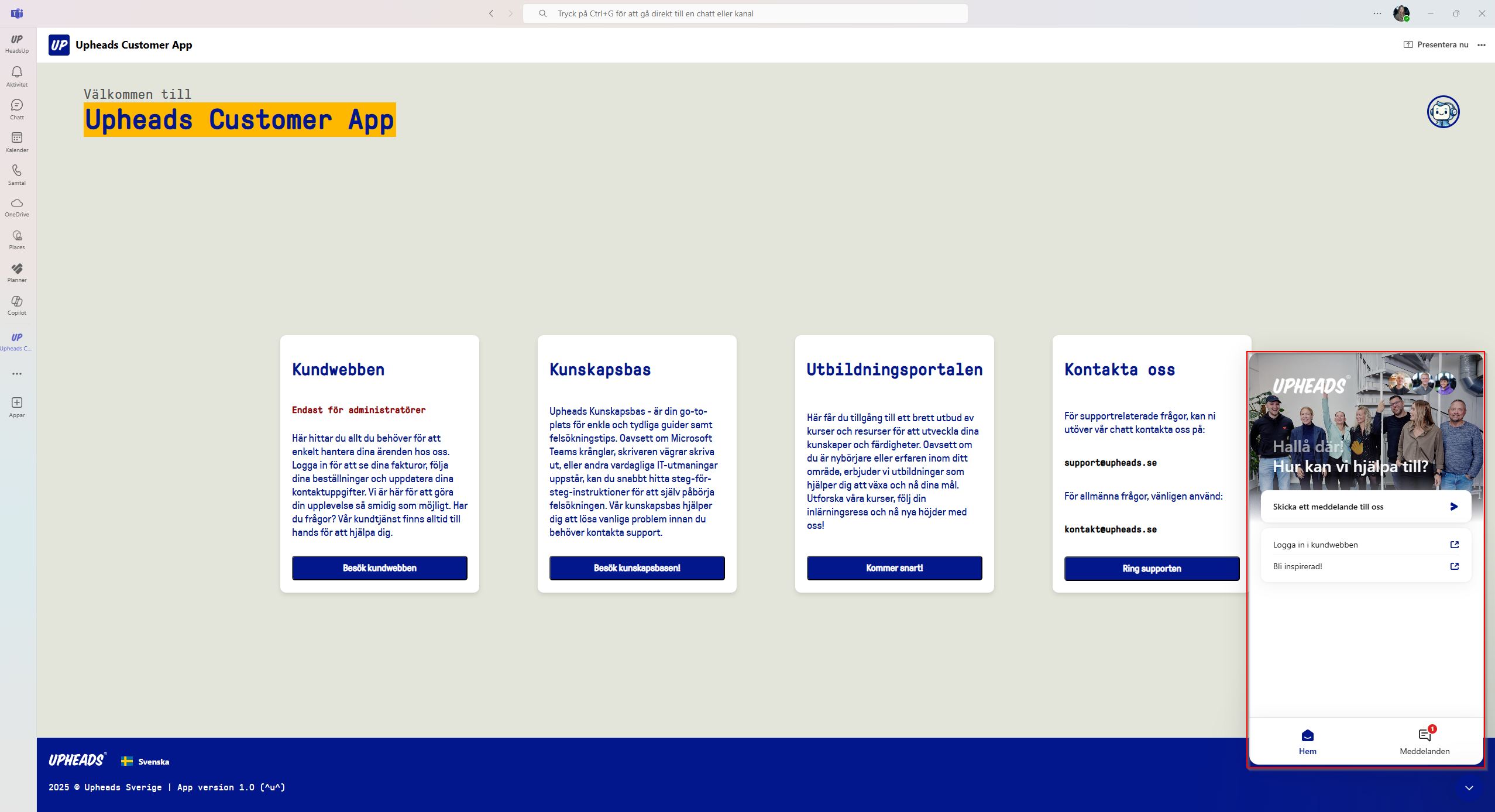
Our automated workflows have been proven to eliminate cases by up to 60%.
When you log in via the bot to your Microsoft 365 account, it knows which company you belong to and adapting the environment for you and your business. We document everything users do, from passwords to saved files. For example, if you want to connect to the network, the system knows what your network is and what your Wi-Fi password is. If many people have the same problem or question over the course of a month, we add this as a regular problem. case for just From now on, all your users will be able to get help with their problem or question at any time of the day or night.
Customer Dashboard
A Microsoft 365 administrator can keep track of how the company's IT environment is doing via dashboardsor dashboards. A current score from red to green shows the company's ss securitycompliance, productivity and network performance. It is also possible to track the company's carbon footprint.
If you have our service Microsoft 365 Evergreen our teams will help you improve your IT with the goal of going green in all areas. And it's fair to say that those who have it are consistently better off.
You can also see a list with a log of all your support cases and security alerts. It shows everything that happened including alerts (which could be due to someone clicking on a malicious link, for example). If you have Evergreen 365, Upheads acts on the alert in accordance with best practice.


The dashboard also gives you an overview of all the hardware devices. For example, we continuously measure how long it takes each user to start their computer and log in. If the user experience is too poor, the device is flagged as slow. The system also keeps track of when devices need to be replaced, which ones don't live up to the company's IT rules or are getting too old.
You can quickly filter for devices that need to be replaced and click through to our online shop to order them.

Online shop
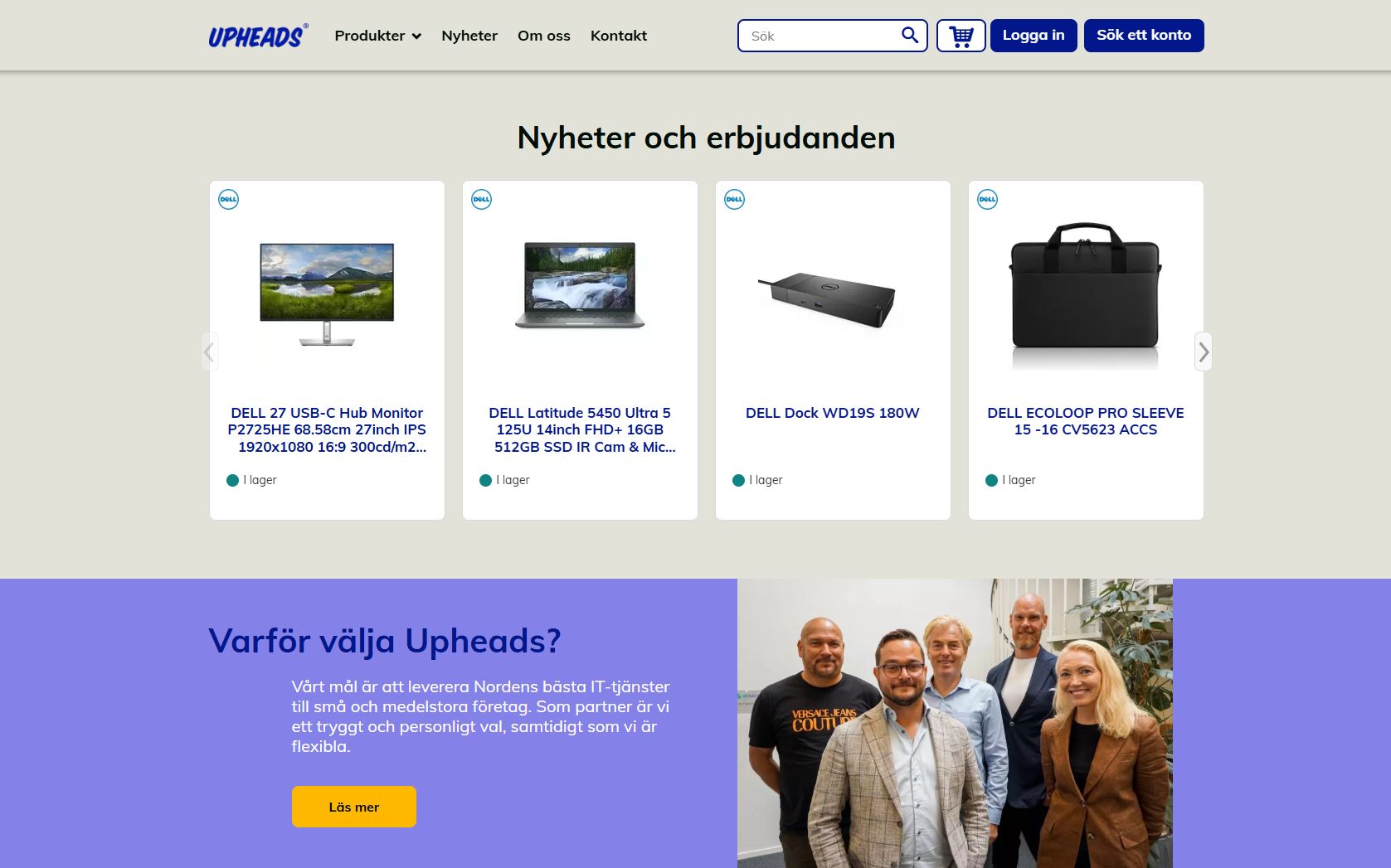
In our web shop you can at any time buy computers, mobiles or other devices. When you visit it download it the currently best prices from the three largest distributors in Sweden. When you order skicked they are dsent directly to the address you provided. Installation and configuration is done automatically with the help of Microsoft Autopilot. If your company hashas a Microsoft 365 Business Premium license is sent deapplications that belong to the device out immediately when the user who will have it logs on.
License portal
As you know, Microsoft licenses can bea rather tangled jungle. In our license portal you get an overview of all your Microsoft licenses, see their status and manage them. It is also easy to add and remove licenses. Nnew licenses can be purchased directly in the portal.

Get in touch if you want to know more about Uphead's Customer App or get help installing it in Teams!
Inspiration and knowledge straight to your inbox
Sign up for our monthly inspirational newsletter that gives you tips, insights and advice on new ways of working, processes and security related to Microsoft 365, Azure and various tools in Microsoft's cloud platform.

Upheads Evergreen
We take care of your entire IT environment.
From productivity and efficiency, to updates, security and compliance.
-

A warm welcome to Borna and Rebecka!
We've added to our team and are happy to welcome two new colleagues! Borna has started as a Cloud Advisor...
→ Read more -
IT Strategy – How to Set the Right Priorities
IT is an important part of how companies grow today. Despite this, IT and business operations are still planned...
→ Read more -

Digital Sofa – Passkeys
In this episode of Digitala Soffan, Samuel and Kevin talk about passkeys—a login method that ...
→ Read more