The New Microsoft Copilot: Introducing Home, Code, and Autopilot
Microsoft is giving Copilot a new experience with Home, Code, and Autopilot. These three components make it easier to switch between working with AI, creating your own solutions, and letting AI agents handle tasks more independently. But what sets these new features apart, and what do these changes mean for you as a Copilot user?
A New Way to Work with Copilot
Microsoft Copilot is already being used for everything from summarizing emails and meetings to creating presentations, analyzing data in Excel, and working with documents. With this new experience, Microsoft aims to make it easier to find and use more of these AI features all in one place.
Home serves as a common starting point for the work, while Code and Autopilot open up more opportunities to create custom solutions and allow AI agents to work more independently over time.
The three parts serve different purposes, but together they show how Copilot has evolved into a more cohesive workspace.
Home: A common starting point for your work
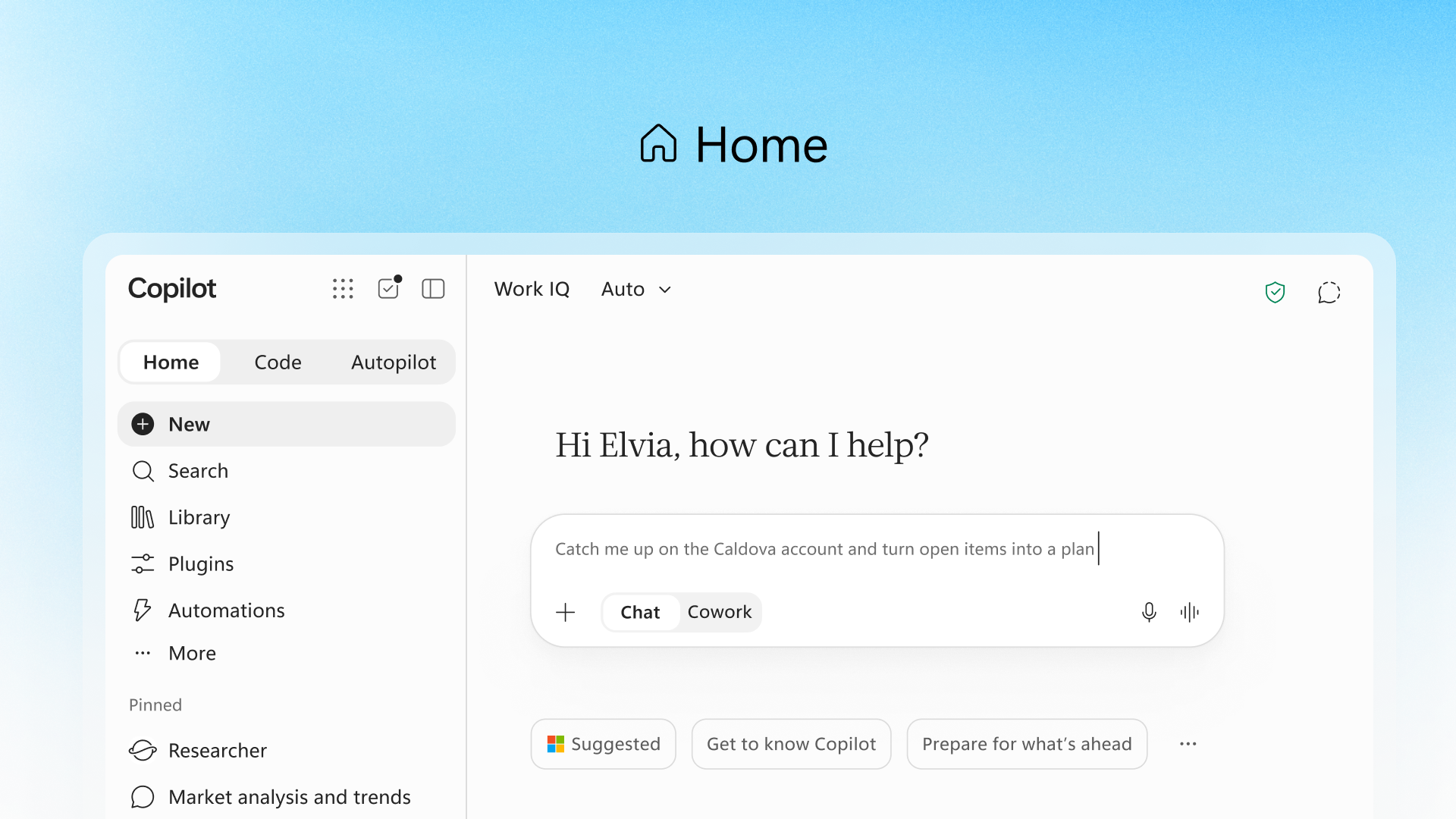
"Home" will be the new home page in Copilot. This is where Copilot Chat and Copilot Cowork are located, and you can also view past activities, get suggestions on how Copilot can help you, and pick up where you left off.
Another new feature is that Word, Excel, and PowerPoint will become a more integrated part of the experience.
For example, you should be able to ask Copilot to create a presentation, draw up a budget, or continue working on an existing document—without having to start over in another app.
The documents are still editable and can be shared with colleagues who can continue working on them.
What does that mean for you?
You'll have a clearer starting point for your work, making it easier to switch between asking questions, creating content, and having Copilot perform tasks.
Code: Create your own apps and solutions without knowing how to code
With Code, Microsoft aims to make it easier for more people to build their own digital solutions.
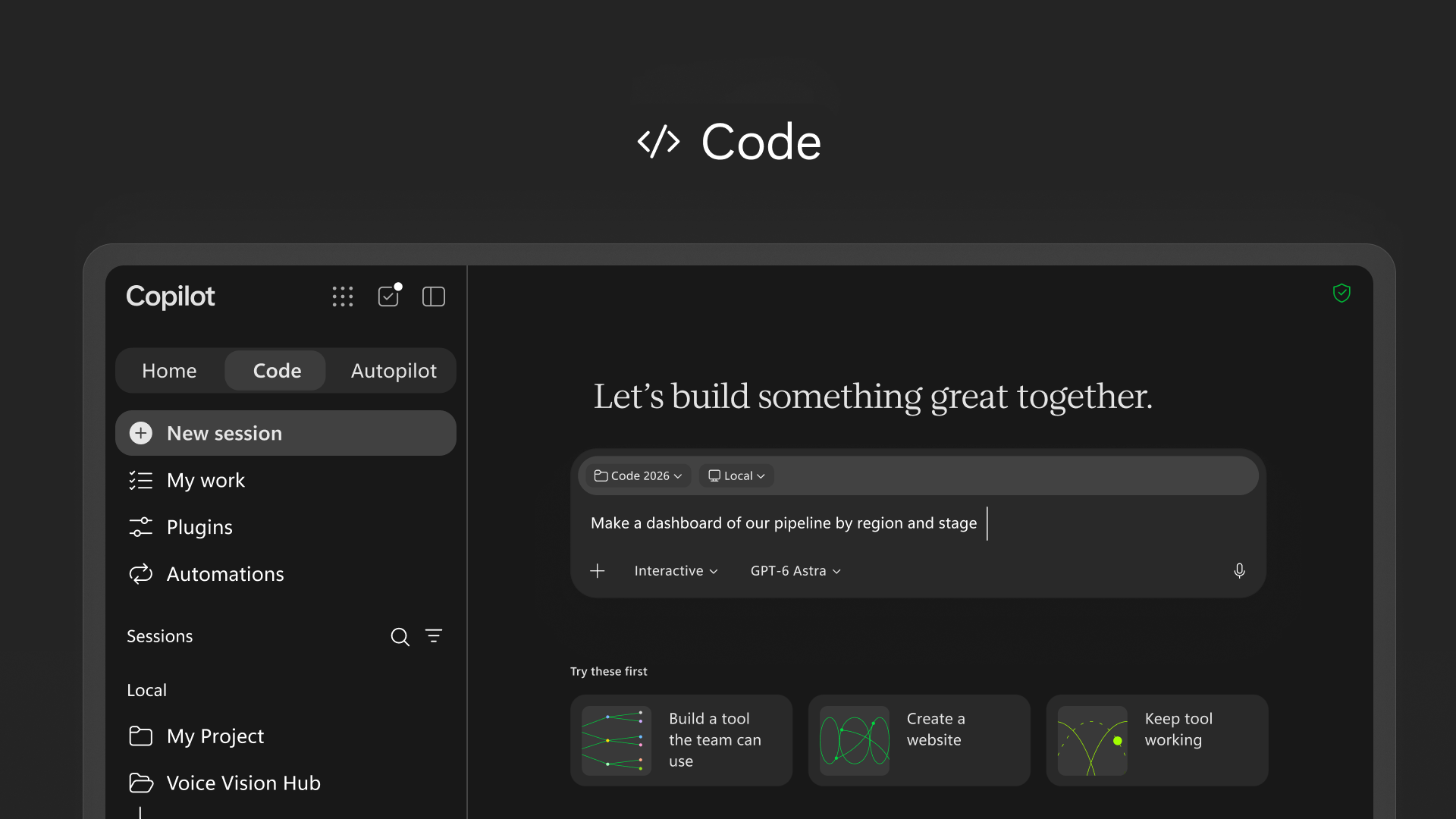
Instead of writing code yourself, you describe what you need in plain language. Copilot can then help you create, for example, an app, a dashboard, or a tool that automates a task.
Imagine you want a simple overview of your company's projects, where you can track their status, who's in charge, and upcoming deadlines.
With Code, the idea is that you can describe your needs and let Copilot build a solution that you can then use and further develop.
Microsoft is also developing ways to share these solutions with colleagues and link them to company data, with the IT department maintaining control over security and access.
What does that mean for you?
More employees can have the opportunity to create tools that solve specific everyday problems, without every idea having to start as a traditional development project.
Autopilot: An AI colleague that continues working on its own
Autopilot is taking the next step toward more autonomous AI operations.
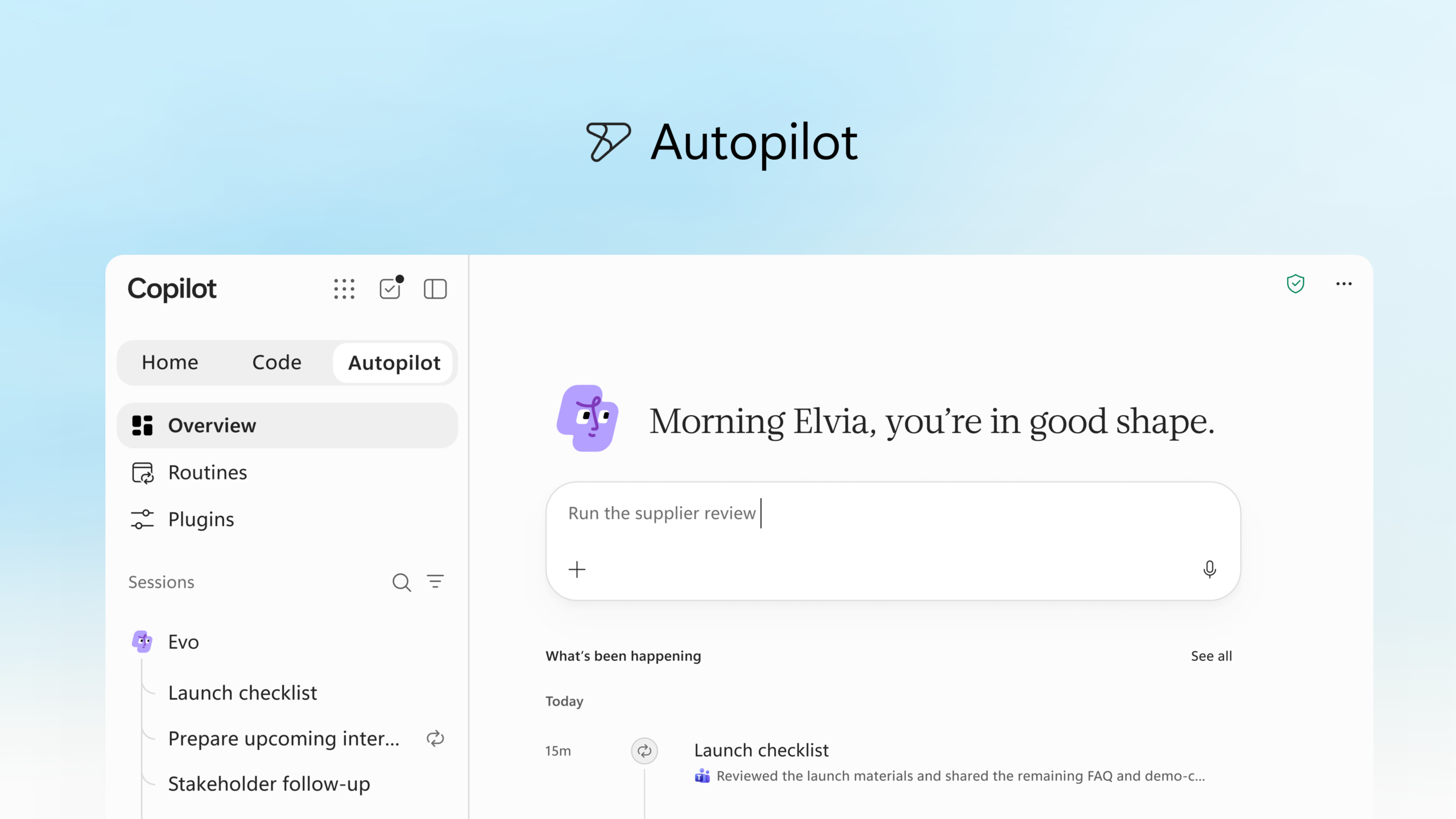
The idea here is that you’ll be able to give an AI agent a name, a role, and a goal. After that, it can continue working on recurring tasks, follow up on activities, and keep track of information even while you’re doing other things.
One example is having Autopilot track a project. It could monitor updates in Teams, remind those responsible about tasks, and prepare materials for upcoming meetings.
Unlike a regular chat, Autopilot doesn't have to wait for a new question for each step.
It is designed to operate over time, with clear permissions and guidelines for what it is allowed to do.
What does that mean for you?
In the long run, Autopilot can reduce the time spent on follow-up, coordination, and other recurring tasks.
What does the new Copilot mean for businesses?
With Home, Code, and Autopilot, it’s clear where Microsoft is headed: AI isn’t just meant to help us work faster, but also to take over more tasks throughout the workday.
For businesses, this means new opportunities to reduce manual work, create their own solutions, and free up time.
But it also raises questions. What tasks do you want AI to perform? What information does it need access to? How do you ensure that it is used in a safe and controlled manner? These are questions that are becoming increasingly important as AI plays a greater role in the organization.
[ Do you want to get more out of Microsoft Copilot? ]
We’ll help you explore the possibilities of Copilot, identify the right use cases, and lay the groundwork for using AI safely. Want to see how Copilot works? Schedule a free demo of Microsoft 365 Copilot!
Tired of filling in forms?
You can also call 040-626 75 00, Monday-Friday 08-17, or send an e-mail to kontakt@upheads.se.
-

Webinar on Information Security
In this webinar, we'll show you how to manage information security in Microsoft 365 and how Micr...
-

Streamline Your Workday with the AI Cube
Do you have a great idea that you want to bring to life at the company, but aren't quite sure where to start? Or...
-

How to Spot Phishing
Phishing is much harder to detect today than it used to be. Scam emails contain...