Copilot Cowork – What Is It and How Does It Work?
We’ve gotten used to using Copilot to write texts, summarize meetings, and find information. But now Microsoft is taking the next step with Copilot Cowork, which not only helps you with tasks but can also perform them for you. So what does that actually mean, and how does it work?

What is Copilot Cowork?
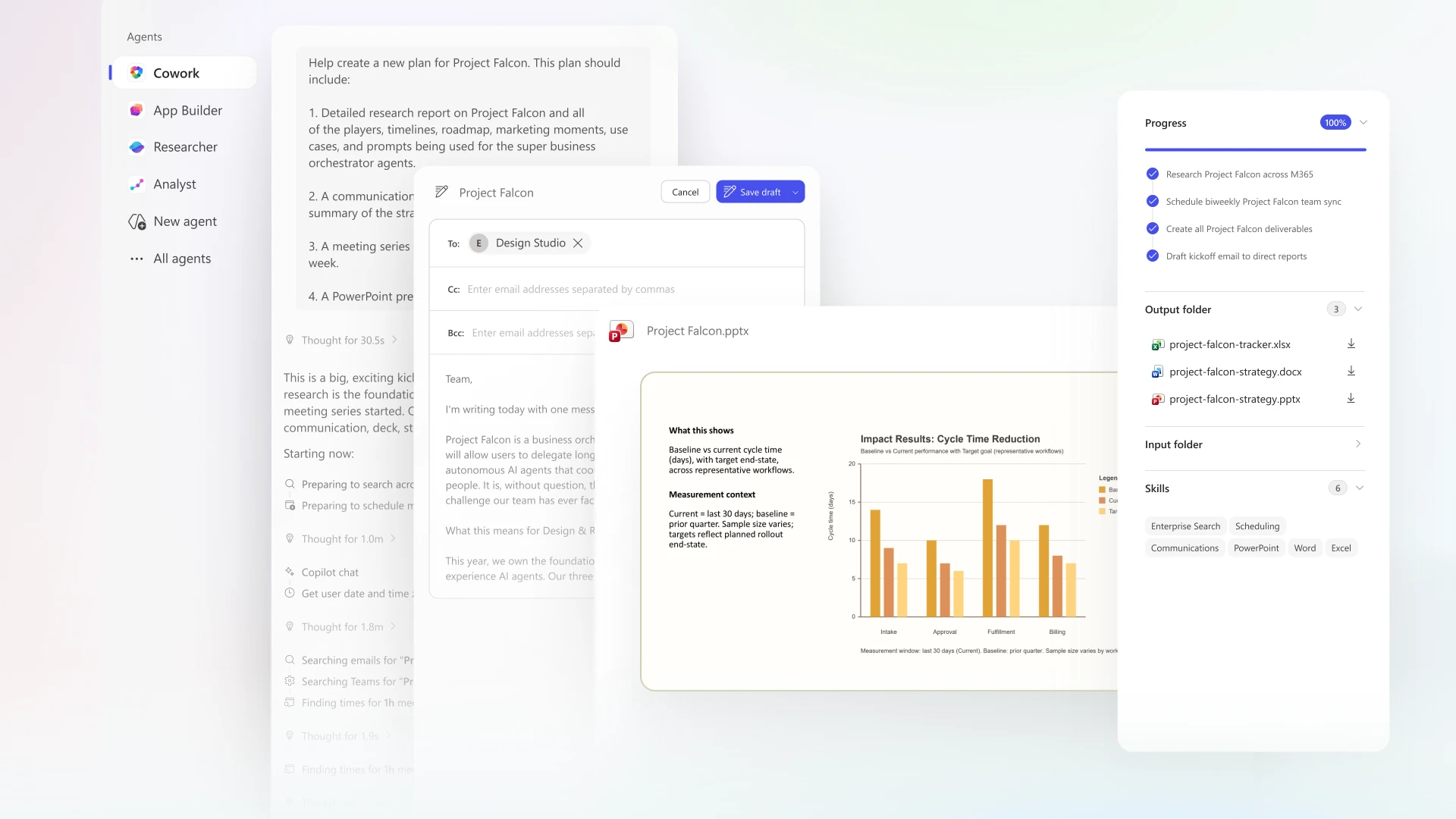
Copilot Cowork is a feature in Microsoft Copilot that can perform tasks for you in Microsoft 365. Instead of just asking Copilot for an answer or a suggestion, you can describe what you want to get done. Cowork can then plan and carry out multiple steps, such as creating documents, managing emails, or preparing for meetings.
What is the difference between Copilot and Copilot Cowork?
Copilot Chat is great when you need a quick answer, help writing a text, or summarizing information. Copilot Cowork is ideal when the task involves multiple steps or working across different apps.
An example:
You need to prepare for a project meeting and gather information, create a presentation, and schedule the participants.
With Copilot, you can get help summarizing source material and creating content for your presentation.
With Copilot Cowork, you can instead describe the entire task. Cowork can then gather relevant information, create a draft presentation, and help schedule the meeting.
So you don't have to switch between all the steps in the same way yourself.
What can you do with Copilot Cowork?
Here are a few examples of how Cowork can help you with Microsoft 365:
Manage Email and Calendar
Cowork can help you sort emails, write replies, send messages, and schedule meetings in Outlook.
Create and Edit Documents
You can ask Cowork to create PowerPoint presentations, Word documents, Excel spreadsheets, or PDF files based on your instructions and source materials.
Work with Teams
For example, Cowork can prepare and post messages in Teams, compile information, and help you follow up on work.
Find and compile information
Do you need to gather information from various documents and sources? Cowork can search for relevant material and compile it into a useful resource.
Manage Recurring Tasks
You can also schedule tasks to be performed on a regular basis, such as preparing a recurring summary.
How does it work in practice?
You don't need to know how to program or create advanced instructions to get started. The process can be broken down into four simple steps:
- Describe the task. Tell us what you want Cowork to do and what result you're looking for.
- Cowork plans the work. The task is broken down into steps that Cowork can work on.
- Monitor and review. You can track the progress of the work, adjust the instructions, and approve actions before they are carried out.
- Review the results. Once the task is complete, you can review what has been created and make any necessary changes.
So you decide what needs to be done, while Cowork helps with the implementation.
How does security work?
When AI is given the opportunity to perform tasks, it becomes especially important to control what it is allowed to do.
Copilot Cowork manages the access and permissions that apply to the user and the organization. You can monitor the work and must approve actions before they are carried out.
It is still important to review the results, especially when it comes to information to be shared, emails to be sent, or changes to documents.
For businesses, therefore, it’s not just about what AI can do, but also about keeping information organized, managing access permissions, and defining how the tool may be used.
How do you gain access to Copilot Cowork?
Copilot Cowork is available to enterprise users with the appropriate Microsoft Copilot license and settings. To use this feature, the organization must have Cowork enabled and usage-based billing configured. The cost may therefore vary depending on how much the feature is used. The features available may also vary depending on the organization’s settings and which features are still in testing.
AI that performs the work
Copilot Cowork demonstrates how AI is becoming an increasingly active part of the workday. Instead of just getting help with individual tasks, you can let AI handle multiple steps while you monitor the work and maintain control. For businesses, this opens up new opportunities to reduce manual work and free up time for other tasks.
But just as with other AI tools, it’s all about starting with the right needs. Which tasks are currently taking up a lot of time? Where would getting help make the biggest difference?
That's where the possibilities with Cowork become interesting.
Free demo of Copilot
We'll help you get started with Copilot the right way. Feel free to book a free demo to get a walkthrough and a better foundation to build on. You can easily book it here!
[ Do you want to get more out of Copilot? ]
We'll help you explore the possibilities of Copilot, get started safely, and find ways to use it that make a difference in your daily life.
Tired of filling in forms?
You can also call 040-626 75 00, Monday-Friday 08-17, or send an e-mail to kontakt@upheads.se.
-

Ransomware Attacks
Cyberattacks can take many forms. Some temporarily render websites and digital services inaccessible...
-

A warm welcome to Borna and Rebecka!
We've added to our team and are happy to welcome two new colleagues! Borna has started as a Cloud Advisor...
-

IT Strategy – How to Set the Right Priorities
IT is an important part of how companies grow today. Despite this, IT and business operations are still planned...